Photo Gallery
How do I create a photo gallery?
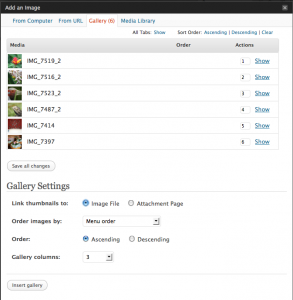 Create a page or post for the gallery to appear in.
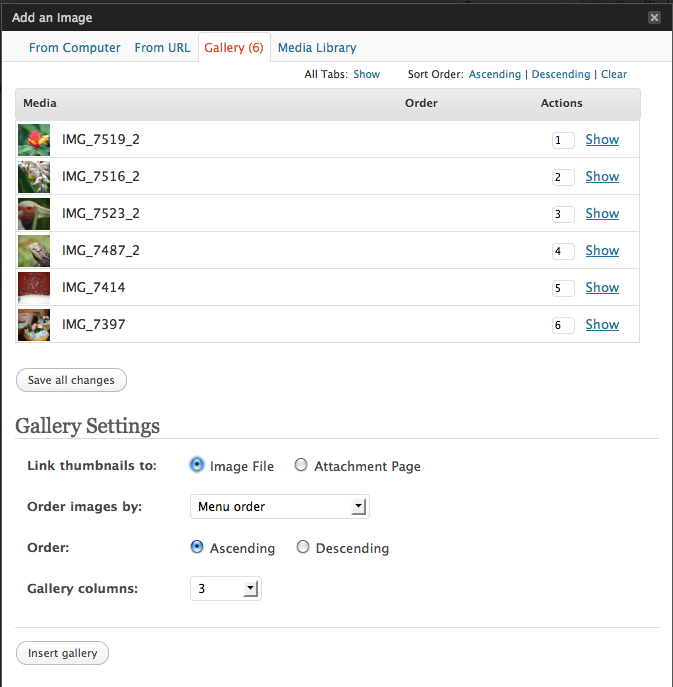
- Go to the Add Image button (next to Upload/Insert above the Visual Editor Toolbar)
- Upload all the photos you want to appear in the gallery (you can select multiple photos all at once)
- Once the photos have all uploaded click Save Changes
- You will now be shown Gallery Settings – here you can choose how your gallery looks. Once you’re happy click Insert Gallery
- Make sure you publish the page/post you have been creating so everyone can see the gallery
Example gallery: